SSH, Telnet, Serial, RDP & Raw
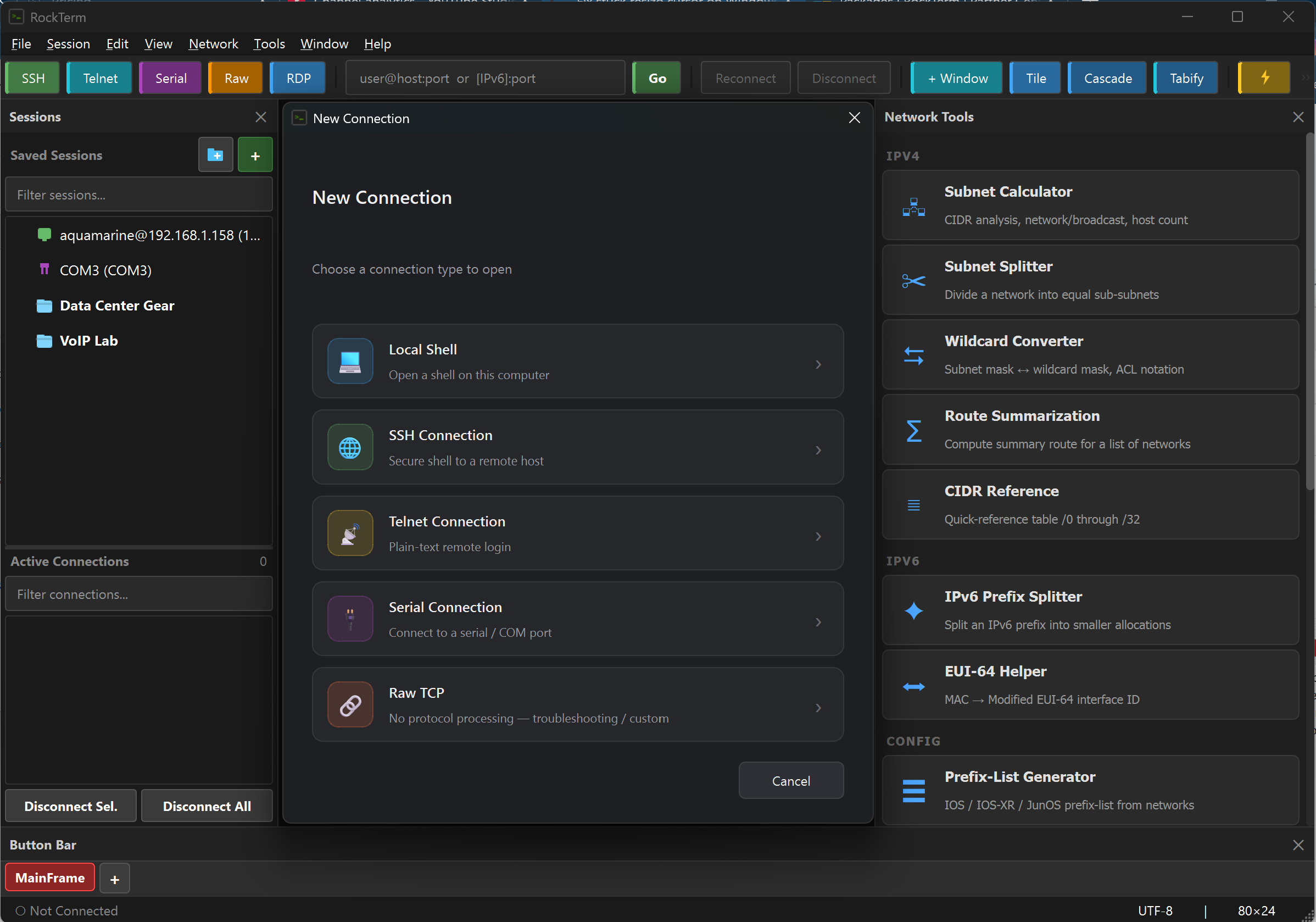
Five protocols in one application. SSH2 with full cipher suite, key-based auth, agent forwarding, OpenSSH certificates, and jump host chaining. Telnet for legacy access. Serial with Auto-Detect. RDP in tabs. Raw sockets for protocol troubleshooting. No more juggling separate tools.
File Transfer
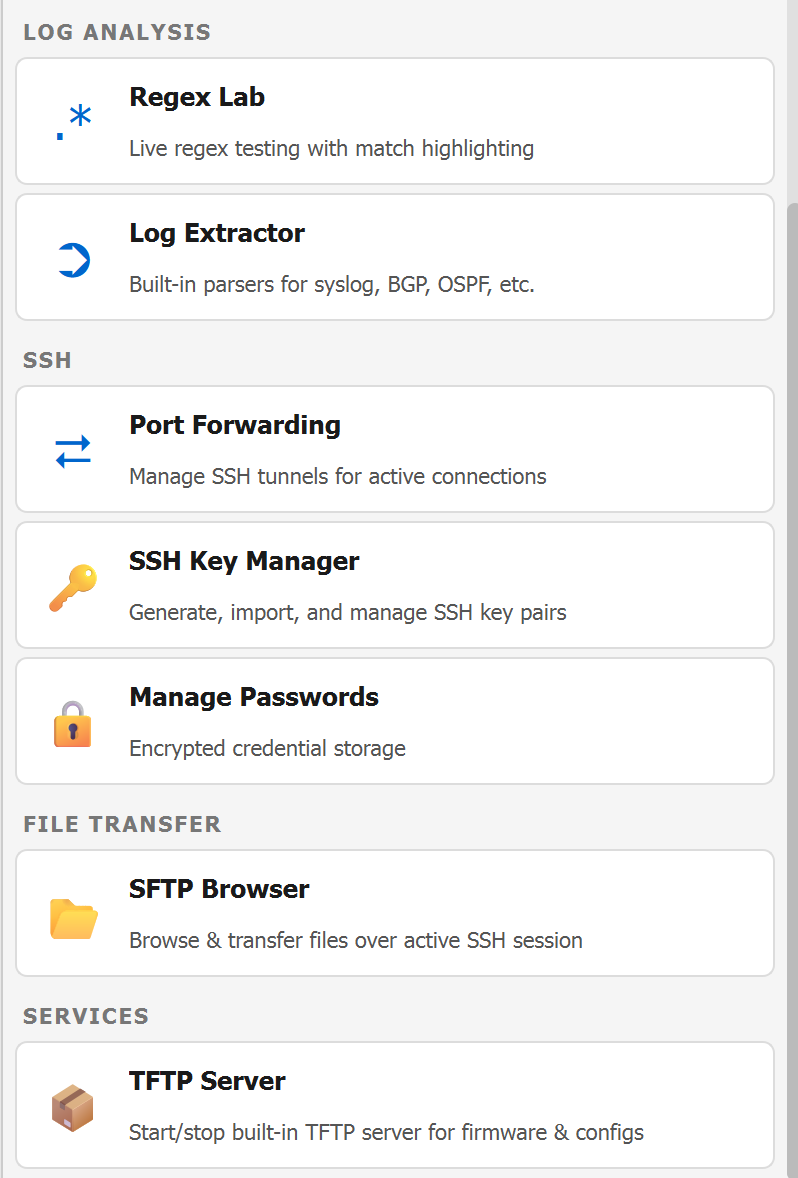
Built-in SFTP browser, Zmodem (with auto-detect), Xmodem, Ymodem, ASCII transfer, and a full TFTP server for firmware and config pulls. Drag and drop files onto a session to upload. Transfer protocols for every scenario network engineers actually encounter.
⚙
Scripting & Automation
Expect-style scripting engine with Python support, a syntax-highlighted editor, script recorder, and triggers that fire on pattern matches. Auto-logon, login scripts, and post-connect commands. Automate the repetitive work so you can focus on the interesting problems.
☰
Session Management
Save and organize connections into folders. Batch-edit sessions. Import from CSV, JSON, or other tools. Named credential and firewall profiles. Layout snapshots to save and restore your workspace. Active sessions manager for bulk operations across dozens of connections.
⌨
AI-Powered Assistance
A persistent dock with chat history. Right-click terminal output to send it as context. Interpret error messages, explain routing tables, debug configs. Supports Anthropic Claude and OpenAI GPT — bring your own API key. Entirely opt-in. AI usage is billed directly by your provider, not by Rock River Research.
Built-In Network Tools
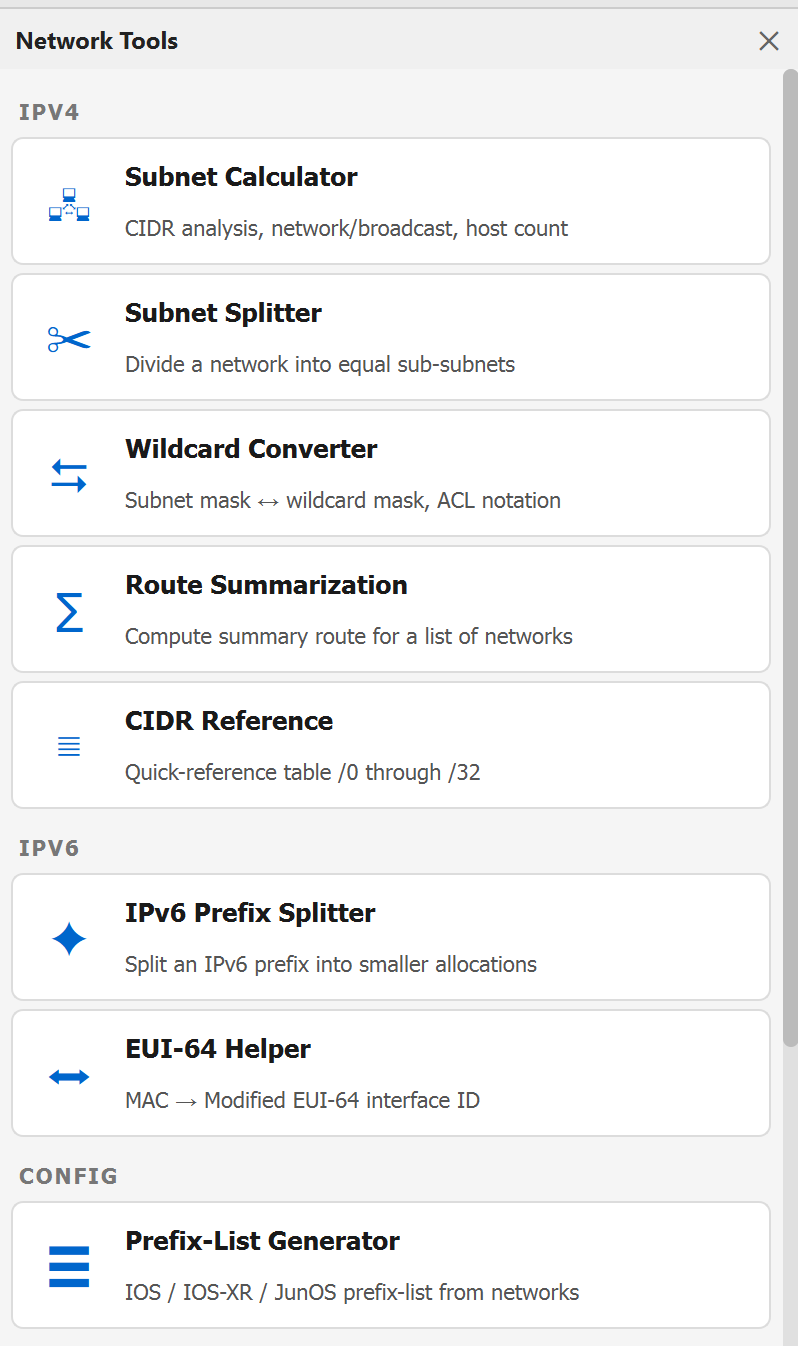
Subnet calculator, subnet splitter, wildcard converter, route summarization, CIDR reference, IPv6 prefix splitter, EUI-64 helper, prefix-list generator, regex lab, log extractor, SSH key manager, and a port forwarding wizard — all under the Network menu.
Logging & Auditing
Session logging to file with ANSI stripping, log rotation by date and size, dynamic filename templates with session variables, and custom connect/disconnect messages. Auto-start logging on connect or from the command line. Built for compliance-conscious environments.
Security & Credentials
AES-encrypted credential vault with master password. Named credential profiles mapped to sessions. Host key verification with a graphical manager. Session locking to prevent typing when you step away. In-memory credential caching for seamless reconnects.
▦
Professional Interface
Tabbed MDI canvas with floating, tileable sub-windows. Button bar, command window, and command manager for fast input. 24-bit truecolor, hex view, highlight rules, 10 color schemes plus a theme editor. Keyboard mapping with a graphical editor. Built for people who spend hours in the terminal.
⇩
Microsoft Store
Clean install from the Microsoft Store. Automatic updates. Free trial with full functionality. One-time purchase — no subscription, no recurring charges. Command-line launch options for integration with your existing scripts and workflows.